Nespresso machines can feel pretty complicated to handle when you first purchase one.
An incessantly blinking orange light is one of the most common problems you'll experience from a Nespresso machine. Like all lights, this one has a cause.
Quick Answer: Why is my Nespresso blinking orange?
Your Nespresso may blink orange due to an empty water reservoir, a full capsule container, a need for descaling, or an internal machine error. Refill the water tank, empty the capsule container, run a descaling cycle, or reset the machine to resolve the blinking light and restore normal operation.
Nespresso may also blink orange for other reasons, which I'll get into as well.
If you want a few quick fixes, check out my troubleshooter tool below:
Read on to learn about the most common reasons why your Nespresso machine is blinking orange and how you can fix it!

1. The water reservoir is empty
An empty water reservoir is one of the most common reasons you'll see a blinking orange light. While this problem may seem obvious, at first glance, it's often ignored.
This is especially true if you don't use your Nespresso daily.
The main thing you'll want to look for is how the machine blinks. While many of Nespresso's problems are indicated by a blinking orange light, the light will blink at different speeds and in varying patterns depending on the problem.
When the water reservoir needs to be refilled, the light will typically alternate between staying on for a couple of seconds and then shutting off for another second. It will repeat this pattern.
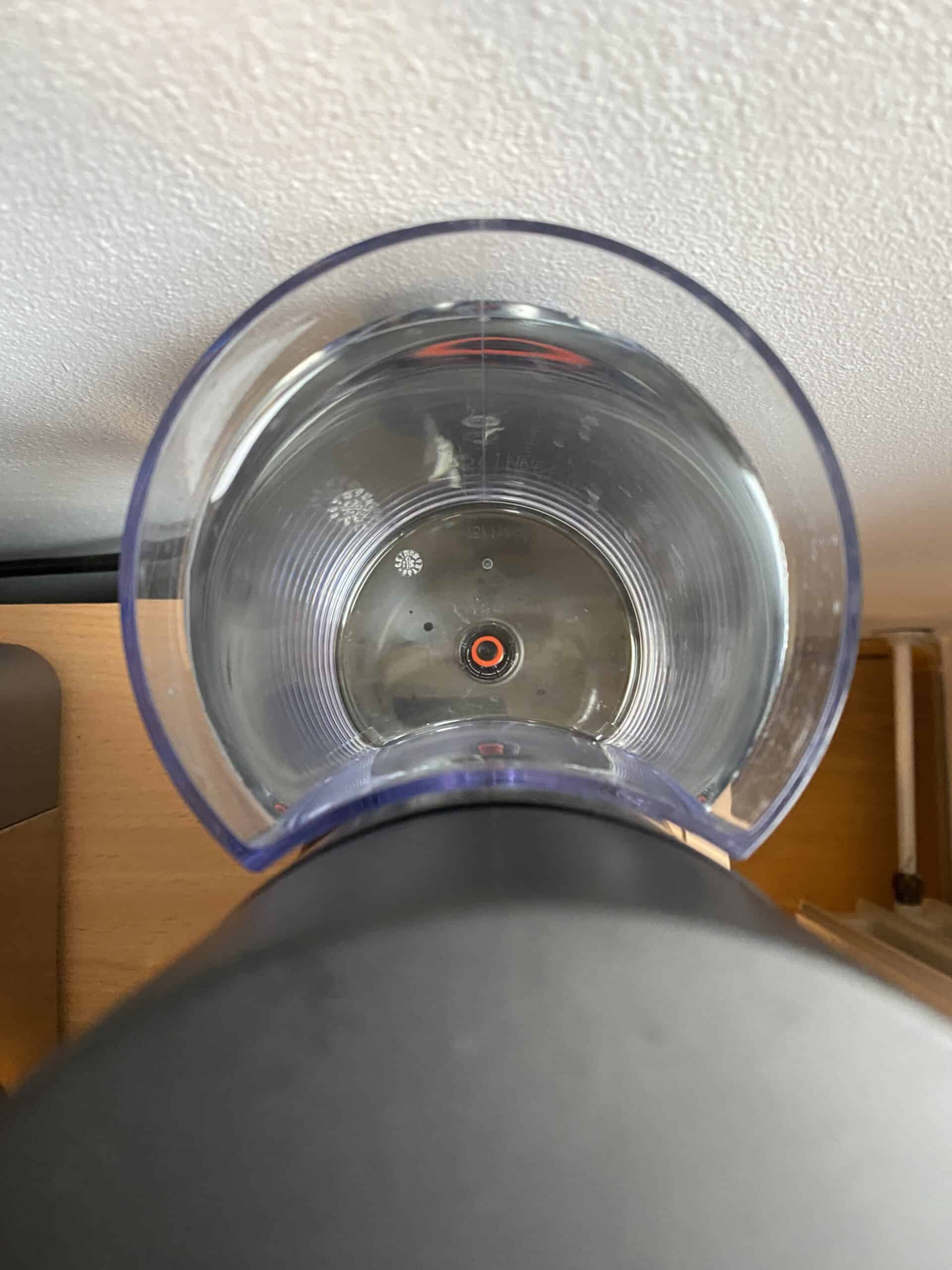
Of course, it takes some getting used to before you truly begin to understand what the patterns indicate.
With time, however, you'll be a pro at interpreting your Nespresso machine's blinking orange lights.
How to fix
An empty water reservoir is the easiest fix on the list. To fix this issue, simply check your water tank and refill it if necessary.
To remove the water reservoir, pull it upwards and out of the machine. In all honesty, the water reservoirs for Nespresso can be a bit more challenging to figure out than those for Keurig.
Once you refill the water reservoir, reset the machine and see if the orange light has disappeared or changed patterns.
In most cases, the light turns off; in others, multiple signals are sent simultaneously.
In these cases, the machine will send the most important information first and continue adjusting the pattern until all major issues are resolved.
Tip: I've also experienced a blinking orange light when I didn't click the water reservoir into place correctly, so be sure to double-check this step as well.
2. The capsule container needs to be emptied
Nespresso machines are a bit different than other coffee machines in that they contain an additional container where empty capsules are deposited after use:
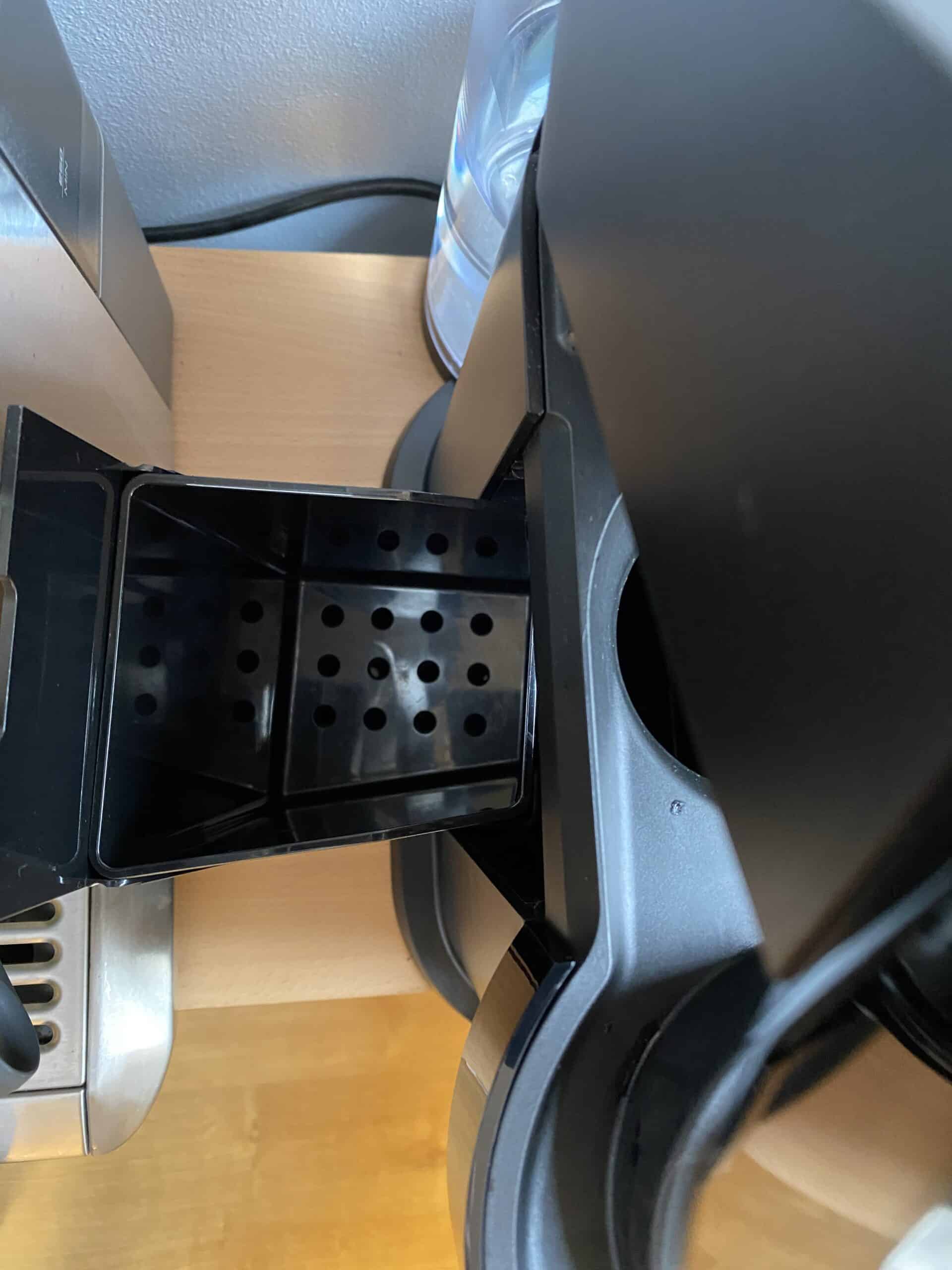
This is a helpful feature of Nespresso, but it's easy to forget to empty the capsule.
Nespresso features a dark capsule container that hides the trash. While helpful for appearance, it's too easy to overlook the container until the machine is practically unusable.
This is why Nespresso integrated a signal for this as well.
The capsule container pattern typically resembles a rapidly blinking orange light, usually with around three blinks per second.
The machine will blink rapidly, pause, and then blink again.
This signal indicates a full capsule container, but it may also indicate another issue: that the machine needs to be descaled.
How to fix
Emptying the capsule container on a Nespresso is super simple.
There will be a release button at the top of the machine that allows you to remove the container, dump its contents, and replace it.
The actual location of the button varies from machine to machine. Most Nespresso machines have it on the top, but some may have it on the side or even on the back.
Once the machine has been dumped, check the light again. If it's still blinking the same pattern, it's indicative that the machine needs to be descaled.
Let's talk about what this means and how to fix it:
3. The machine needs to be descaled
All coffee machines require descaling at some point.
This usually happens once every six months or so, but depending on how often you use your Nespresso, it may need to be done more frequently.
Use my quick planner below, and I'll tell you if you are likely due right now, plus what schedule to follow going forward:
Descaling isn't a particularly common concept, so let's discuss what this means for a moment.
Over time, all coffee makers will build up hard mineral deposits within the machine.
This includes calcium and lime deposits. Most of this buildup comes from the water cycling through the machine.
This is mostly unavoidable, especially if you use water from your sink.
You can limit the buildup by using filtered water through your machine, but it will still need to be descaled occasionally, as all water contains these minerals.
The descaling process takes about twenty minutes and requires additional materials to perform, usually a descaling solution:

The descaling solution will cycle through the machine, clearing most mineral deposits.
While putting your machine through this process can be frustrating, you'll notice it runs significantly smoother afterward.
The machine may also require cleaning in addition to descaling.
Tip: For more info on this process, check out this article.
For now, let's talk about how to perform the descaling process:
How to fix
Descaling a Nespresso is fairly simple, even if it initially sounds complicated. Here's a quick overview of what you'll need to do:
- Ensure the machine is turned on. The machine will run the descaling solution the same way it runs coffee through.
- Remove all containers and trays. This includes the capsule container, drip tray, and any additional capsules in the machine.
- Prepare the machine with a cup. You'll want a container of some sort beneath the coffee spout. This is because the solution will shoot out of the coffee spout after it has run through the machine. The last thing you want is a descaling solution splashing everywhere on your counter and floors.
- Fill your water tank. You'll want to mix about sixteen ounces of water with the descaling solution. You can determine the amount of descaling solution to use by reading the instructions.
- Give the machine time to heat. This typically takes about five minutes.
The next steps will vary from machine to machine.
You may need to read the manufacturer's instructions for your specific Nespresso, but generally, here's what you'll need to do:
- Press the top two or three buttons simultaneously to initiate the descaling process. You'll need to hold them down for a few seconds. The number of buttons you push depends on the machine you have.
- Look for the indicators that the descaling process has begun. Typically, this is indicated by the machine's lights blinking rapidly.
- Send the descaling solution through the machine a second time. This will ensure that all mineral deposits get removed.
- Rinse the machine. Finally, rinse the machine with clean water. Run a rinse cycle multiple times until it completes a full cleansing.
- Turn off the descaling mode. This can be done in the same way you began: by pressing both or all three buttons on the top of your machine.
Tip: For more details on descaling your Nespresso machine, refer to this article.
4. The machine is experiencing an error
Nespresso machines may experience errors for several reasons. Like all electronics, they sometimes experience electrical issues.
It may also indicate that the machine simply didn't reboot properly the last time it was turned on.
When the machine is experiencing an error, it's normally indicated by a blinking and then a steady orange light.

The light will typically alternate between two rapid blinks and then hold steady for a few seconds.
It seems that Nespresso takes a different approach to every problem, and that is likely true.
The good news, however, is that the error blinking is specific to this problem. Once you learn what this looks like, identifying it should be fairly simple.
Let's talk about how you can fix the machine when it's experiencing an error:
How to fix
Typically, fixing a Nespresso machine that's experiencing an error is as simple as resetting it.
A simple unplugging and replugging in the machine will nearly always fix the problem. However, it isn't always this simple when it comes to errors within the machine.
This is one of the few fixes that cannot always be done alone.
If the light still blinks even after resetting the machine, you may need to send your Nespresso in for a replacement.
You can try running a capsule through it first, however. In many cases, even when the machine is experiencing an error, it will still make the cup of coffee.
However, the error should still be repaired at some point.
Summary
Nespresso machines can blink orange for several reasons.
One of the most common reasons your Nespresso may be blinking orange is the empty water reservoir.
This is typically indicated by the machine blinking for a couple of seconds and then pausing.
It may also blink orange if the capsule container needs to be emptied or the machine needs to be descaled. In these cases, the light typically blinks rapidly and then pauses.
The final reason it may blink is if it is experiencing an error.
Most of these are easy fixes, but some may require extra assistance.